Hardyproof / Features / Scheduling
Schedule the job once. It shows up on your calendar.
You already live in your phone's calendar. Scheduling a job shouldn't mean typing the address in a second time.
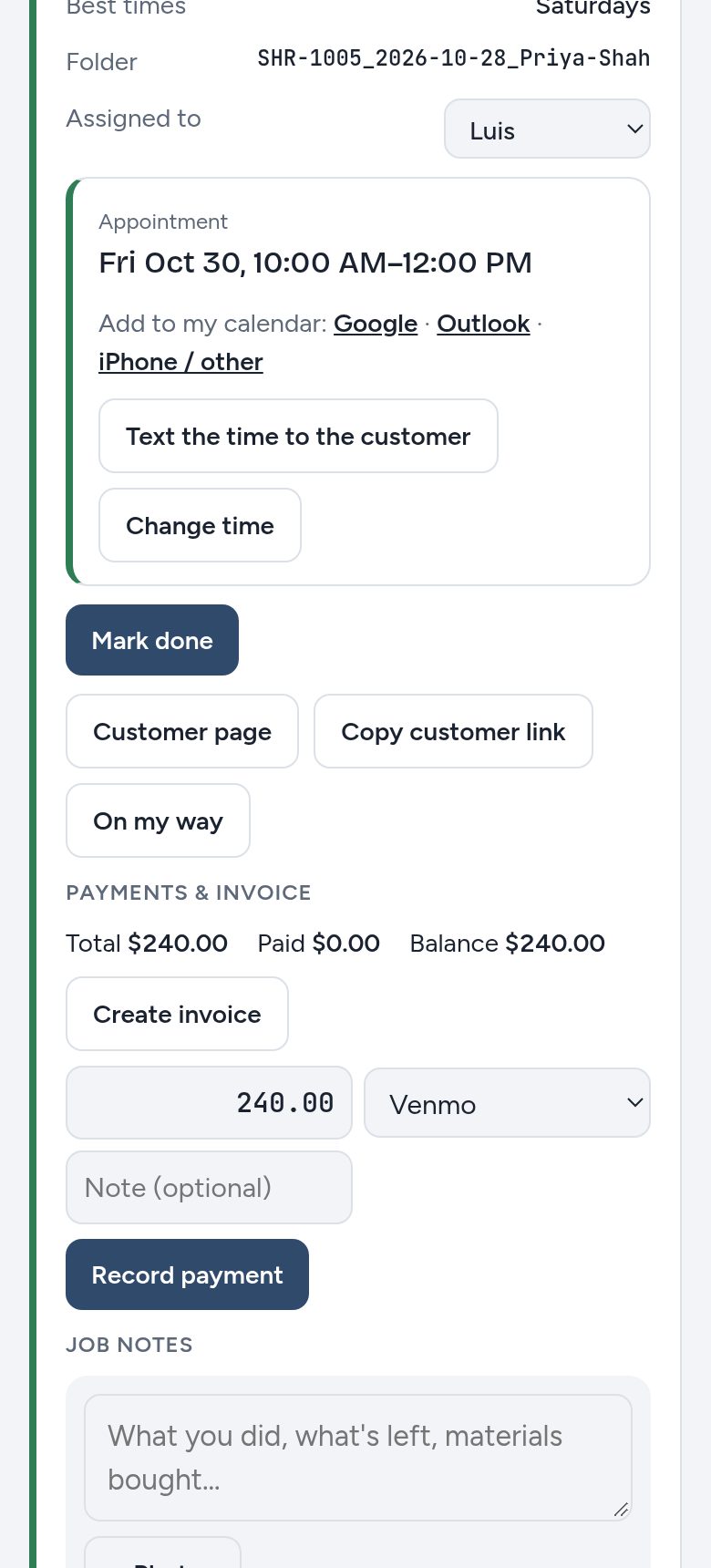
How it works
- Mark the job scheduled
Pick the day, start time and how long it will take, from 30 minutes to all day.
- It goes on your calendar
Connect your calendar once from Account. Every scheduled job appears with the address, phone number and job details.
- Text the time
One tap opens a ready-made text with the date, time and the customer's request page.
- Change it if plans change
Change the time and your calendar follows.
What you get
- Google, iPhone and OutlookSubscribe once, or add a single job with one tap.
- Your crew's calendarsEach person gets their own link. Employees see only the jobs assigned to them.
- The customer's calendar tooTheir request page shows the appointment with their own add-to-calendar buttons.
- Every change loggedWho scheduled it, when, and every time it moved.
Fewer no-shows
- Give a window, not a minute. "10 to noon" is a promise you can keep.
- Text the time right after you set it, and send "On my way" when you leave.
- Book the length honestly, including drive time, so the next job doesn't start late.
Questions
Does it sync both ways?
Not yet. Jobs flow from Hardyproof to your calendar. Changes made in your calendar don't come back.
How fast does a change show up?
Apple and Outlook calendars check about every hour. Google can take several hours.
Can customers pick their own time?
Not yet. They tell you the best times on the form, and you set the appointment.
Try it on your next job
Free for 30 days, no credit card. Or write proposals free forever.